
Neu
URLs mögen keine Sonderzeichen. Erfahren Sie, was URL-Kodierung ist, wann Sie sie verwenden sollten und wie Sie URLs mit unserem kostenlosen Tool sofort kodieren oder dekodieren können.
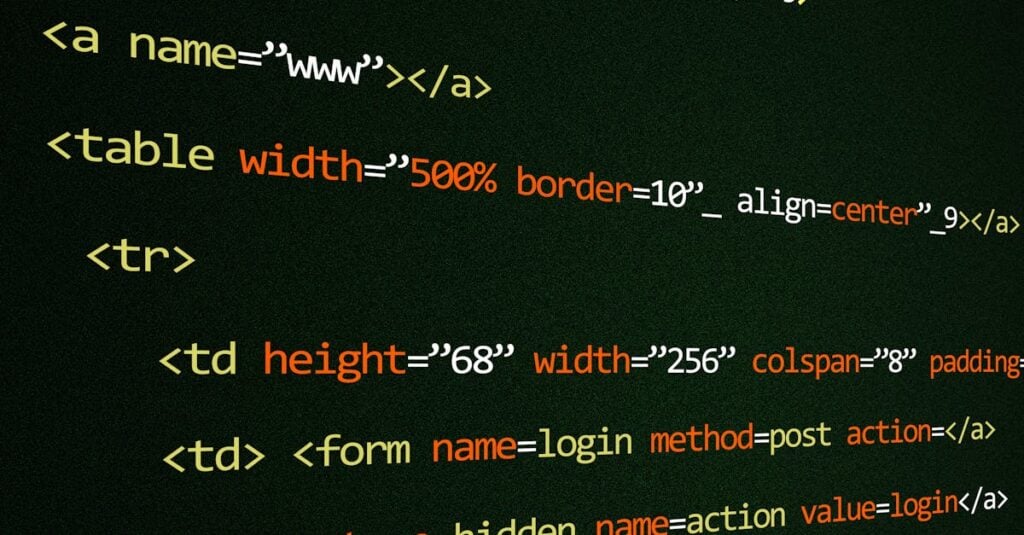
Haben Sie schon einmal eine URL mit Leerzeichen kopiert und gesehen, wie sie sich auf magische Weise in ein Durcheinander aus Prozentzeichen und Zahlen verwandelt hat? Das ist URL-Kodierung in Aktion – der heimliche Held, der verhindert, dass das Internet komplett zusammenbricht. 🔗
Wenn Sie jemals einen Link in eine E-Mail eingefügt haben, nur um ihn kaputt gehen zu lassen, oder sich gefragt haben, warum Ihre API-Anfrage Müll zurückgibt, ist die URL-Codierung (oder deren Fehlen) wahrscheinlich der Schuldige. Lassen Sie uns diese Dinge entmystifizieren und Ihnen zeigen, wie Sie URLs sofort codieren und decodieren.
URLs können nur eine begrenzte Anzahl von Zeichen enthalten. Buchstaben, Zahlen und eine Handvoll Symbole sind zugelassen. Alles andere – Leerzeichen, Ampersands, Fragezeichen, Emojis, Nicht-ASCII-Zeichen – muss in ein Format umgewandelt werden, das URLs verarbeiten können.
Dieses Format ist Prozent-Codierung. Jedes unsichere Zeichen wird durch ein Prozentzeichen gefolgt von seinem Hexadezimalwert ersetzt. Also:
space → %20& → %26= → %3D? → %3F@ → %40Ohne diese Codierung wüssten Browser und Server nicht, wo ein URL-Parameter endet und ein anderer beginnt. Es würde Chaos ausbrechen. Katzen und Hunde, die zusammenleben. Massenhysterie.
Sie sollten URLs codieren, wann immer Sie:
Im Grunde gilt: Wenn Sie etwas benutzergeneriertes in eine URL einfügen, codieren Sie es. Ihr zukünftiges Ich, das mysteriöse 400er-Fehler debuggt, wird es Ihnen danken.
Kurze Klarstellung, weil das Leute verwirrt: URL-Codierung und Base64-Codierung sind völlig unterschiedliche Dinge.
URL-Codierung codiert nur „unsichere“ Zeichen und lässt alles andere lesbar. Hello World wird zu Hello%20World — immer noch ziemlich erkennbar.
Base64 wandelt alle Daten vollständig in ein anderes Alphabet um. Hello World wird zu SGVsbG8gV29ybGQ= — komplett unleserlicher Unsinn (zumindest für Menschen).
Verwenden Sie URL-Kodierung für URLs. Verwenden Sie Base64, wenn Sie Binärdaten in Text einbetten müssen. Einfach. 💡
Sicher, Sie könnten JavaScript schreiben, um dies zu handhaben („encodeURIComponent() ist Ihr Freund), aber warum sich die Mühe machen, wenn Sie einfach Text einfügen und sofort Ergebnisse erhalten können?
Unser URL-Kodierer/Dekodierer macht genau das, was draufsteht:
Keine Anmeldung erforderlich. Keine aufdringlichen Anzeigen. Nur ein Werkzeug, das eine Sache gut macht.
Ein paar Dinge, auf die Sie achten sollten:
%20 hinein %2520. Dekodieren Sie immer zuerst, wenn Sie unsicher sind.+ stellt manchmal ein Leerzeichen dar. Das ist eine Altlast von Formularübermittlungen. Unser Tool behandelt dies korrekt.encodeURIComponent, was für die meisten Fälle die sicherste Wahl ist.Wenn Sie das nächste Mal eine kaputte URL anstarren oder eine API debuggen, die Unsinn zurückgibt, denken Sie daran: Die Codierung ist wahrscheinlich die Antwort.
Gehen Sie zum URL-Kodierer/Dekodierer und probieren Sie es aus. Ihre Prozentzeichen warten auf Sie. 🔥
IO-Tools zu Ihrem Lieblingsbrowser hinzufügen für sofortigen Zugriff und schnellere Suche
Anzeigetafel ist eine unterhaltsame Möglichkeit, Ihre Spiele zu verfolgen. Alle Daten werden in Ihrem Browser gespeichert. Weitere Funktionen folgen in Kürze!
Aktualisieren: Unser neuestes Werkzeug wurde am 7. Juni 2026 hinzugefügt
Helfen Sie uns, weiterhin wertvolle kostenlose Tools bereitzustellen