Open Graph Social Card Image Generator
Führung
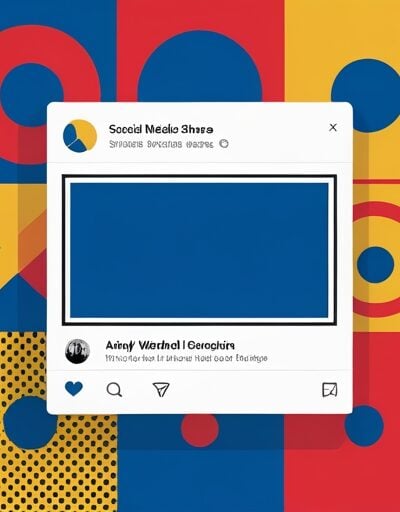
Open Graph Social Card Image Generator
Entwirf pixelgenaue Social-Share-Bilder für Open Graph, Twitter-Cards, LinkedIn und Facebook direkt im Browser. Geben Sie Ihren Titel, Beschreibung und Seitenname ein, wählen Sie ein Layout und eine Farbpalette, dann können Sie ein PNG, JPG oder WebP-Image herunterladen, genau den Maßen, die die Plattformen erfordern – ohne Design-Tool oder Upload.
Nutzung
- Wählen Sie ein Vorlage-Layout (1200×630 für Open Graph, 1024×512 für Twitter) oder geben Sie eine benutzerdefinierte Breite und Höhe ein.
- Geben Sie den Titel, die Beschreibung und den Seitenname ein, die auf dem Karten-Image erscheinen sollen.
- Wählen Sie ein Layout (zentriert, linksbündig oder mit oberer Leiste) und eine Farbpalette (hell, dunkel, Marke oder Gradient).
- Passen Sie die Schriftart an – Schriftfamilie, Titelgröße und Beschreibunggröße – an, um Ihren Markenstil zu treffen.
- Klicken Sie auf Herunterladen und speichern Sie das PNG, JPG oder WebP für die Verwendung als Ihr
og:imageodertwitter:image.
Funktionen
- Richtige Social-Maße – Vorgaben für Open Graph (1200×630), Twitter-Card (1024×512), LinkedIn und Facebook.
- Mehrere Layouts – Zentrierte, linksbundene und mit oberer Leiste versehene Vorlagen für verschiedene Markenstile.
- Helle, dunkle, Marke und Gradient-Farben – Wechseln Sie den Hintergrund in einem Klick oder verwenden Sie Ihre eigene Marke-Farbe.
- Automatischer Titel-Kürzungs-Modus – Lange Überschriften werden automatisch abgebrochen und angepasst, damit die Karte lesbar bleibt.
- Live-Canvas-Vorschau – Jede Änderung wird sofort auf einem echten HTML5-Canvas neu gerendert – das, was Sie sehen, ist das, was Sie herunterladen.
- PNG, JPG und WebP-Export – Wählen Sie das Format, das zu Ihrer Hosting- und CDN-Infrastruktur passt.
- Laufend im Browser – Kein Upload, kein Konto, kein Wasserzeichen.
Häufig gestellte Fragen
-
Was ist das Open Graph-Protokoll?
Open Graph ist eine Reihe von
<meta>Tags, die von Facebook eingeführt wurden, um eine Webseite selbst zu beschreiben. Die häufigsten Tags sindog:title,og:descriptionundog:image. Wenn jemand einen Link teilt, liest die Plattform diese Tags und zeigt eine reichhaltige Karte anstatt eine einfache URL an. -
Welche Bildgröße sollte ein og:image haben?
Die Open Graph-Spezifikation empfiehlt einen Seitenverhältnis von 1,91:1 mit einem Mindestmaß von 600×315 Pixeln. Die meisten Plattformen funktionieren am besten bei 1200×630, wobei die Karte auf Retina-Displays schärfer bleibt und unter der 8 MB-Grenze von Facebook bleibt. Twitter-Cards verwenden üblicherweise 1024×512 für das Format summary_large_image.
-
Warum speichern soziale Plattformen og:image-URLs?
Plattformen wie Facebook, LinkedIn und Slack laden das og:image einmal ab und speichern es auf ihrem CDN, um die Quelle nicht jedes Mal, wenn ein Link geteilt wird, zu belasten. Diese Cache kann mehrere Tage oder Wochen dauern. Um nach einer Änderung des Bildes zu aktualisieren, können Sie die Datei-URL ändern oder den Plattform-Debugger (z. B. den Facebook-Sharing-Debugger) verwenden, um die Seite erneut abzusuchen.
-
Welche Unterschiede gibt es zwischen og:image und twitter:image?
og:imageist Teil des Open Graph-Protokolls und wird von Facebook, LinkedIn, Slack, Discord und den meisten Messaging-Apps gelesen.twitter:imagegehört zu Twitter-Cards und wird von X (Twitter) gelesen. Wenn nurog:imagevorhanden ist, wird X darauf zurückgreifen, sodass ein einziges hochwertiges Bild oft für beide Plattformen geeignet ist – aber beide zu liefern ermöglicht eine optimierte Bildgröße pro Plattform. -
Warum wird der Titel automatisch verkürzt, wenn er zu lang ist?
Social-Cards haben ein fester Canvas, daher sieht ein zu langer Titel, der außerhalb der Grenze ist, als beschädigt aus. Der HTML5-Canvas-API kann Text nicht automatisch umbringen, daher misst das Tool jedes Wort mit
ctx.measureText(), teilt die Überschrift in Zeilen auf und verringert die Schriftgröße schrittweise, bis der Titel innerhalb des sicheren Bereichs passt. Dadurch bleibt jedes Export-Image lesbar, ohne manuelle Anpassungen.
Erweiterungen installieren
IO-Tools zu Ihrem Lieblingsbrowser hinzufügen für sofortigen Zugriff und schnellere Suche




恵 Die Anzeigetafel ist eingetroffen!
Anzeigetafel ist eine unterhaltsame Möglichkeit, Ihre Spiele zu verfolgen. Alle Daten werden in Ihrem Browser gespeichert. Weitere Funktionen folgen in Kürze!
Unverzichtbare Tools
Alle Neuheiten
AlleAktualisieren: Unser neuestes Werkzeug was added on Juni 26, 2026
Beteiligen Sie sich
Helfen Sie uns, weiterhin wertvolle kostenlose Tools bereitzustellen
