Farbschaltblatt-Generator
Führung
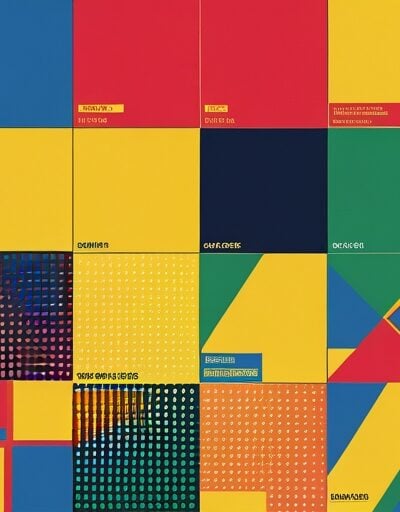
Farbschaltblatt-Generator
Fügen Sie eine Liste von Farben ein und sehen Sie sie sofort als druckbare Farbpalette mit Hex-Bezeichnungen vor. Verwenden Sie beliebige CSS-Farbeingaben – kurze und lange Hex-Farben, rgb(), rgba(), hsl(), hsla(), oder benannte Farben wie tomato – und laden Sie die Tabelle als hochauflösendes PNG- oder skalierbares SVG-Datei für die Übertragung, Druck oder Dokumentation eines Designsystems herunter.
Nutzung
- Geben Sie eine Farbe pro Zeile in das Farben Textfeld ein, oder klicken Sie Probieren Sie ein Beispiel aus um eine Startpalette zu laden.
- Passen Sie Spalten, Abmessung der Farbpalette, Abstandund Paddings der Tabelle um die Layout-Option, die Sie benötigen, zu erreichen.
- Wählen Sie eine Hintergrundfarbe für die Tabelle und bestimmen Sie, ob Hex-Bezeichnungen oder übereinstimmende CSS-Farbnamen auf jeder Farbpalette angezeigt werden sollen.
- Wählen Sie die Farbe der Beschriftungen – Automatisch verwendet Kontrast gegenüber jeder Farbpalette, oder erzwingen Immer dunkel oder Immer hell.
- Klicken Sie auf PNG herunterladen für eine 2x-Gitter-Export, oder SVG herunterladen für eine Vektor-Datei, die in Figma, Illustrator oder jedem Browser geöffnet werden kann.
Funktionen
- Mehrformat-Eingabe – akzeptiert Hex (#abc, #aabbcc, #aabbccdd), rgb(), rgba(), hsl(), hsla(), und benannte CSS-Farben in derselben Liste.
- Live-SVG-Vorschau – die Tabelle wird bei jeder Eingabe neu erstellt, sodass Layout-Änderungen sofort wirksam werden.
- Konfigurierbare Gitter – steuern Sie die Anzahl der Spalten, die Breite und Höhe der Farbpalette, den Abstand, das Paddings und die Eckenrundung.
- Intelligente Beschriftungen – zeigen Hex-Werte an, erkennen automatisch übereinstimmende CSS-Farbnamen und wählen Kontrast- oder feste Beschriftungsfarben.
- Transparente Farben – Farbpalette mit Alpha-Transparenz werden über ein Kachelmuster gerendert, sodass die Transparenz in den Exporten visuell sichtbar ist.
- Zwei Exportformate – hochauflösendes PNG über Canvas, plus eine kopierbare SVG-Datei für den Einsatz in Vektor-Tools.
- Vollständig clientseitig – Farben bleiben im Browser, sodass sie sicher für noch nicht veröffentlichte Markenpaletten sind.
Häufig gestellte Fragen
-
Was ist eine Hex-Farbcodierung und warum gibt es manchmal acht Zeichen?
Eine Hex-Farbcodierung verwendet drei Paare hexadezimaler Ziffern, um die Rot-, Grün- und Blau-Kanäle eines sRGB-Farbwerts zu kodieren (z. B. #FF5733). Jedes Paar reicht von 00 bis FF, was 0 bis 255 im Dezimalwert entspricht. Ein zusätzliches Viertelpaar kodiert die Alpha-Transparenz von 00 (vollständig transparent) bis FF (vollständig opak), was die achtzeichenlange Form #RRGGBBAA in modernem CSS ermöglicht.
-
Wie wird der Kontrast zwischen einer Farbpalette und ihrer Beschriftung berechnet?
Die meisten Kontrastprüfungen verwenden die WCAG-Relative Helligkeitsformel, die jeden sRGB-Kanal in einen linearen Wert umrechnet und diese dann mit den Gewichten 0.2126R + 0.7152G + 0.0722B wiegt. Helle Hintergründe (Helligkeit etwa über 0.5) lesen sich besser mit dunklem Text, und dunkle Hintergründe mit hellem Text. Dies ist die gleiche Berechnung hinter dem WCAG 2-Kontrastverhältnis, das für Zugänglichkeitsaudits verwendet wird.
-
Warum bevorzugen Designer SVG statt PNG für Farbpalette-Visualisierungen?
SVG speichert Farbpalette als Vektorformen und Text anstatt als ein fester Pixelgitter, sodass die Tabelle bei jeder Größe schärfer bleibt, hochauflösend gedruckt wird und in Design-Tools wie Figma oder Illustrator bearbeitbar bleibt. PNG ist noch nützlich, wenn Sie eine einzelne, flache Rasterbild für Präsentationen, Screenshot oder schnelle Weitergabe benötigen, bei der Vektorunterstützung nicht vorausgesetzt werden kann.
-
Welcher Unterschied besteht zwischen sRGB-Hex-Werten und den RGB-Werten, die in Code angezeigt werden?
Hex-Werte wie #FF5733 und die äquivalente rgb(255, 87, 51) beschreiben den gleichen sRGB-Tripel – Hex ist nur eine kompakte Basis-16-Notation. Beide beziehen sich auf das Standard-sRGB-Gamut, das im Web verwendet wird. Weitere Gamut-Formate wie display-p3 oder oklch beschreiben Farben außerhalb dieses Gamuts und sind nicht mit den gleichen Zahlen im sRGB austauschbar.
Erweiterungen installieren
IO-Tools zu Ihrem Lieblingsbrowser hinzufügen für sofortigen Zugriff und schnellere Suche




恵 Die Anzeigetafel ist eingetroffen!
Anzeigetafel ist eine unterhaltsame Möglichkeit, Ihre Spiele zu verfolgen. Alle Daten werden in Ihrem Browser gespeichert. Weitere Funktionen folgen in Kürze!
Unverzichtbare Tools
Alle Neuheiten
AlleAktualisieren: Unser neuestes Werkzeug was added on Juni 21, 2026
Beteiligen Sie sich
Helfen Sie uns, weiterhin wertvolle kostenlose Tools bereitzustellen
