Generador de hojas de muestras de color
Guía
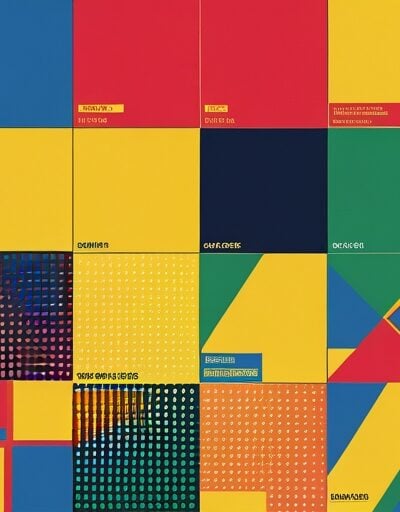
Generador de hojas de muestras de color
Pega una lista de colores y ve los resultados de forma inmediata como una hoja imprimible de muestras con etiquetas en hex. Combina cualquier formato de color CSS — hex corto y largo, rgb(), rgba(), hsl(), hsla(), o nombres de colores como tomate — y descarga la hoja como PNG de alta resolución o SVG escalable para transferencia, impresión o documentación de sistemas de diseño.
Cómo Usar
- Introduce un color por línea en el Colores textarea, o haz clic Prueba un ejemplo para cargar un paleta de inicio.
- Ajustar columnas, Tamaño de la muestra, Espacioy Espaciado de la hoja para ajustar la disposición que necesitas.
- Elige un color de fondo para la hoja y activa si se muestran etiquetas en hex o nombres de colores CSS en cada muestra.
- Elige cómo se colorean las etiquetas — Automático usa contraste contra cada muestra, o fuerza Siempre oscuro o Siempre claro.
- Haz clic en Descargar PNG para una exportación en formato raster 2x, o Descargar SVG para un archivo vectorial que puedes abrir en Figma, Illustrator o cualquier navegador.
Características
- Entrada en múltiples formatos — acepta hex (#abc, #aabbcc, #aabbccdd), rgb(), rgba(), hsl(), hsla(), y nombres de colores CSS en la misma lista.
- Vista en SVG en tiempo real — la hoja se reconstruye mientras escribes, por lo que los cambios de diseño son inmediatos.
- Redimensionable en cuadrícula — controla el número de columnas, ancho y alto de las muestras, el espacio, el espaciado y el radio de esquina.
- Etiquetas inteligentes — muestra códigos en hex, detecta automáticamente nombres de colores CSS coincidentes y elige colores de etiquetas en contraste o fijos.
- Colores transparentes — las muestras con alfa se renderizan sobre un patrón de cuadrados para que la opacidad sea visualmente evidente en las exportaciones.
- Dos formatos de exportación — PNG de alta resolución mediante Canvas, más un SVG copiable para uso vectorial.
- Totalmente del lado del cliente — los colores nunca salen del navegador, por lo que es seguro para paletas de marcas no aún lanzadas.
Preguntas frecuentes
-
¿Qué es un código de color en hex y por qué a veces tiene 8 caracteres?
Un código de color en hex utiliza tres pares de dígitos hexadecimales para codificar los canales rojo, verde y azul de un color sRGB (por ejemplo, #FF5733). Cada par va de 00 a FF, que es de 0 a 255 en decimal. Un par opcional codifica la transparencia (alpha) desde 00 (completamente transparente) hasta FF (completamente opaco), dando la forma de ocho caracteres #RRGGBBAA utilizada en CSS moderno.
-
¿Cómo se decide el contraste entre una muestra y su etiqueta?
La mayoría de los cálculos de contraste usan la fórmula de luminancia relativa de WCAG, que convierte cada canal sRGB a un valor lineal y luego los pondera como 0.2126R + 0.7152G + 0.0722B. Los fondos claros (luminancia aproximadamente superior a 0.5) se leen mejor con texto oscuro, y los fondos oscuros se leen mejor con texto claro. Este cálculo es el mismo que se utiliza en el ratio de contraste de WCAG para auditorías de accesibilidad.
-
¿Por qué los diseñadores prefieren SVG sobre PNG para muestras de color?
SVG almacena las muestras como formas y texto vectoriales en lugar de una cuadrícula fija de píxeles, por lo que la hoja permanece nítida en cualquier tamaño, se imprime con claridad en alta resolución y se puede editar en herramientas de diseño como Figma o Illustrator. PNG sigue siendo útil cuando necesitas una imagen raster única para presentaciones, capturas de pantalla o compartir rápidamente, donde no se puede asumir el soporte vectorial.
-
¿Cuál es la diferencia entre valores hex en sRGB y los RGB que ves en el código?
Valores hex como #FF5733 y el equivalente rgb(255, 87, 51) describen el mismo triplete sRGB — el hex es solo una notación compacta en base 16. Ambos se refieren al gamut estándar sRGB utilizado en internet. Formatos de gamut más amplios como display-p3 o oklch describen colores fuera de ese gamut y no son intercambiables con los mismos números en sRGB.
Instalar extensiones
Agregue herramientas IO a su navegador favorito para obtener acceso instantáneo y búsquedas más rápidas




恵 ¡El marcador ha llegado!
Marcador es una forma divertida de llevar un registro de tus juegos, todos los datos se almacenan en tu navegador. ¡Próximamente habrá más funciones!
Herramientas clave
Ver todo Los recién llegados
Ver todoActualizar: Nuestro última herramienta was added on Jun 26, 2026
Involucrarse
Ayúdanos a seguir brindando valiosas herramientas gratuitas
