لا تحب الإعلانات؟ يذهب خالية من الإعلانات اليوم
مولد الضوضاء والأنماط SVG
لونمطورصورة
إعلان · حذف؟
إعلان · حذف؟
مرشد
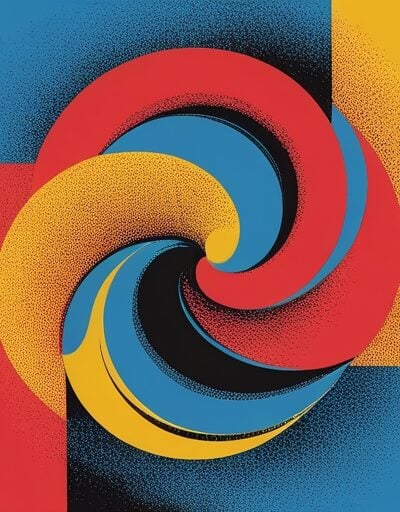
مولد الضوضاء والأنماط SVG
أنشئ نسيجًا عضويًا مُتَّسِعًا ونماذج سحابية متقلبة مباشرة في متصفحك باستخدام مُحول SVG feTurbulence filter. اسحب الأشرطة، قم بتعديل البذرة، اختر لون التدرج، وشاهد التغير في النسيج بشكل مباشر. استخدم كـ SVG مدمج، أو كخلفية بيانات CSS، أو كمُحول SVG قابل للتطبيق على أي شكل. background-image اختر نوع الضوضاء —
كيفية استخدام
- ضوضاء فركتالية لأغراض نسيج الأفلام العضوي، تقلبات لأغراض دورانات سحابية. التكرار الأساسي
- تعديل لحجم النسيج و الطبقات لإضافة تفاصيل أعمق. لمسح التغيرات في نمط عشوائي مختلف.
- تغيير البَذَر ربط الأقسام
- تبديل لإنتاج ناتج قابل للإعادة. وضع مُلون
- اختر أبيض وأسود أو وتعديل الخلفية، التدرج، الشفافية، والكثافة. انسخ SVG، أو رابط البيانات CSS، أو قطعة المُحول، أو احفظ الملف SVG.
- نوعان من الضوضاء
خصائص
- – ضوضاء فركتالية (نسيج عضوي) و تقلبات (دورانات سحابية). – إعادة تطبيق مُبطَّل عند كل تغيير للأسلاك.
- العرض المباشر تحكم في الطبقات
- – من 1 إلى 8 طبقات لموازنة التفاصيل مع الأداء. الإعادة المُحددة بالبذرة
- – كل بذرة تمثل نمطًا عدديًا محددًا. الإعادة المُكتملة
- – اختياري لخلفيات قابلة للإعادة.
stitchTiles="stitch"مُونو أو مُلون - – نسيج أحادي أو أي لون من خلال الكثافة والشفافية
feColorMatrix. - – زيادة الشدة باستخدام ثلاثة أشكال مخرج
feComponentTransfer. - – SVG مدمج، خلفية بيانات CSS، أو مُحول SVG فقط. – احفظ كمُستقل
- تنزيل بضغطة زر متى تستخدم نسيج الضوضاء؟
.svg.
أقطار مُتَّسِعة
- – اجعل الضوضاء تُضاف على تدرج CSS لتفادي التكرار. تأثيرات ورقة وفلم
- – أضف نسيجًا خفيفًا على رسومات مسطحة أو أقسام المقدمة. أسطح سحابية ودخان
- – استخدم تقلبات مع تكرار منخفض وعدد قليل من الطبقات. أثر التلف والطبقة
- – قم بتطبيق المُحول على الأشكال لخلق مظهر مطبوع يدويًا. ما هو feTurbulence وكيف يعمل؟
التعليمات
-
feTurbulence هو مُحول أساسي في SVG يُولِّد ضوضاء بيرلين. يُنتج نمطًا عشوائيًا بناءً على البذرة والتكرار الأساسي. التكرار المنخفض يُنتج أشكالًا واسعة مثل السحاب؛ التكرار العالي يُنتج نسيجًا ناعمًا. تُضاف طبقات متعددة على تكرارات متزايدة للحصول على تفاصيل أعمق.
ما الفرق بين fractalNoise و turbulence؟
-
كلاهما مبني على ضوضاء بيرلين. يستخدم fractalNoise القيم المُوقعة مباشرة، مما يُنتج نسيجًا أكثر سلاسة يشبه نسيج الأفلام. بينما يستخدم turbulence القيمة المُطلقة، مما يُنتج دورانات ذات تباين أعلى تشبه السحاب أو الحجر.
لماذا نستخدم ضوضاء SVG بدلًا من صورة PNG؟
-
تُولّد ضوضاء SVG من قبل المتصفح في الوقت الفعلي، لذا فهي تُوسع بشكل لا نهائي دون أن تصبح مُبهمة، وتضيف طلبًا إضافيًا صغيرًا فقط كرابط بيانات مدمج. كما أنّها تُعيد التصوير بدقة عند أي نسبة بيكسل.
ما الذي يفعله stitchTiles؟
-
باستخدام stitchTiles="stitch"، يضمن مُحول SVG أن تُطابق خطوط النمط عند حدود الأقسام، مما يسمح بتمثيل النسيج كخلفية CSS دون ظهور تشققات.
هل تدعم المتصفحات جميع مُحولات SVG؟
-
نعم — feTurbulence جزء من SVG 1.1 ويُدعم في جميع المتصفحات الحديثة، بما في ذلك Chrome، Safari، Firefox، وEdge. تختلف الأداء حسب عدد الطبقات والمنطقة المُعرضة، لذا يُفضل استخدام أقسام أصغر عند الهدف إلى أجهزة منخفضة الأداء.
انسخ SVG
هل تريد حذف الإعلانات؟
تخلص من الإعلانات اليوم
تثبيت ملحقاتنا
أضف أدوات IO إلى متصفحك المفضل للوصول الفوري والبحث بشكل أسرع




恵 وصلت لوحة النتائج!
لوحة النتائج هي طريقة ممتعة لتتبع ألعابك، يتم تخزين جميع البيانات في متصفحك. المزيد من الميزات قريبا!
إعلان · حذف؟
أدوات يجب تجربتها
عرض الكلإعلان · حذف؟
شارك
ساعدنا على الاستمرار في تقديم أدوات مجانية قيمة

إعلان · حذف؟