SVG Noise & Texture Generator
ガイド
SVG Noise & Texture Generator
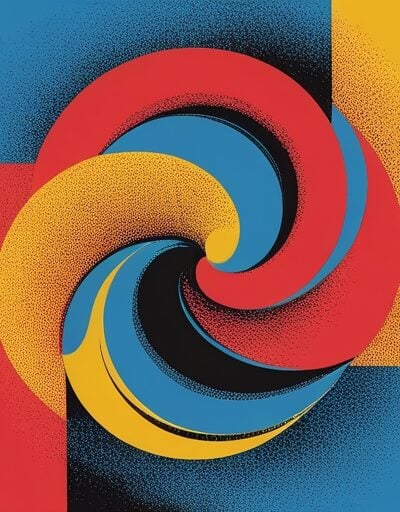
Create organic grainy noise and turbulent cloud textures directly in your browser using the SVG feTurbulence filter. Drag the sliders, tweak the seed, pick a tint color, and watch the texture update live. Export as inline SVG, a CSS background-image data URI, or a reusable SVG filter you can apply to any shape.
使用方法
- Pick a noise type — Fractal Noise for organic film-grain, Turbulence for cloudy swirls.
- 調整 Base Frequency for grain size and Octaves for detail richness.
- 変更する Seed to scroll through different random patterns.
- トグル Stitch Tiles for seamless tileable output.
- 選択 モノクロ または Colored mode and tweak background, tint, opacity, and contrast.
- Copy the SVG, CSS data URI, or filter snippet, or download the SVG file.
機能
- Two noise types – Fractal Noise (organic grain) and Turbulence (smoky swirls).
- ライブプレビュー – Debounced re-render on every slider change.
- Octave control – 1–8 octaves to balance richness against performance.
- Seeded reproducibility – Every seed is a unique deterministic pattern.
- Seamless tiling – Optional
stitchTiles="stitch"for repeatable backgrounds. - Mono or colored – Grayscale grain or any tint via
feColorMatrix. - Contrast & opacity – Boost intensity with
feComponentTransfer. - 3つの出力フォーマット – Inline SVG, CSS data URI background, or filter-only SVG.
- ワンクリックダウンロード – Save as standalone
.svg.
When to Use Noise Textures
- Grainy gradients – Overlay noise on a CSS gradient to break up banding.
- Paper and film effects – Add subtle grain to flat illustrations and hero sections.
- Cloud and smoke backgrounds – Use turbulence with low frequency and a few octaves.
- Distress and texture overlays – Apply the filter to shapes for a hand-printed look.
よくある質問
-
What is feTurbulence and how does it work?
feTurbulence is an SVG filter primitive that generates Perlin noise. It produces a pseudo-random pattern based on a seed and a base frequency. Lower frequencies produce broad smoky shapes; higher frequencies produce fine grain. Multiple octaves layer noise at progressively higher frequencies for richer detail.
-
What is the difference between fractalNoise and turbulence?
Both are based on Perlin noise. fractalNoise uses the signed noise directly, giving a smoother organic grain that resembles film. turbulence takes the absolute value, producing higher-contrast cloudy swirls that look like smoke or marble.
-
Why use SVG noise instead of a PNG image?
SVG noise is generated by the browser at runtime, so it scales infinitely without becoming blurry and adds no extra HTTP request beyond a tiny inline data URI. It also re-renders crisply at any device pixel ratio.
-
What does stitchTiles do?
With stitchTiles="stitch", the SVG filter ensures the noise pattern lines up cleanly at the tile boundaries, so the texture can be repeated as a CSS background without visible seams.
-
Are SVG filters supported by all browsers?
Yes — feTurbulence is part of SVG 1.1 and is supported by every modern browser, including Chrome, Safari, Firefox, and Edge. Performance varies with the number of octaves and the rendered area, so prefer smaller tiles when targeting low-end devices.




恵 スコアボードが到着しました!
スコアボード ゲームを追跡する楽しい方法です。すべてのデータはブラウザに保存されます。さらに多くの機能がまもなく登場します!
必見ツール
すべて表示参加する
価値ある無料ツールの提供を継続するためにご協力ください
